
DJ Controller vs. CDJ: Which Setup Is Right for You?
Jul 24th 2026
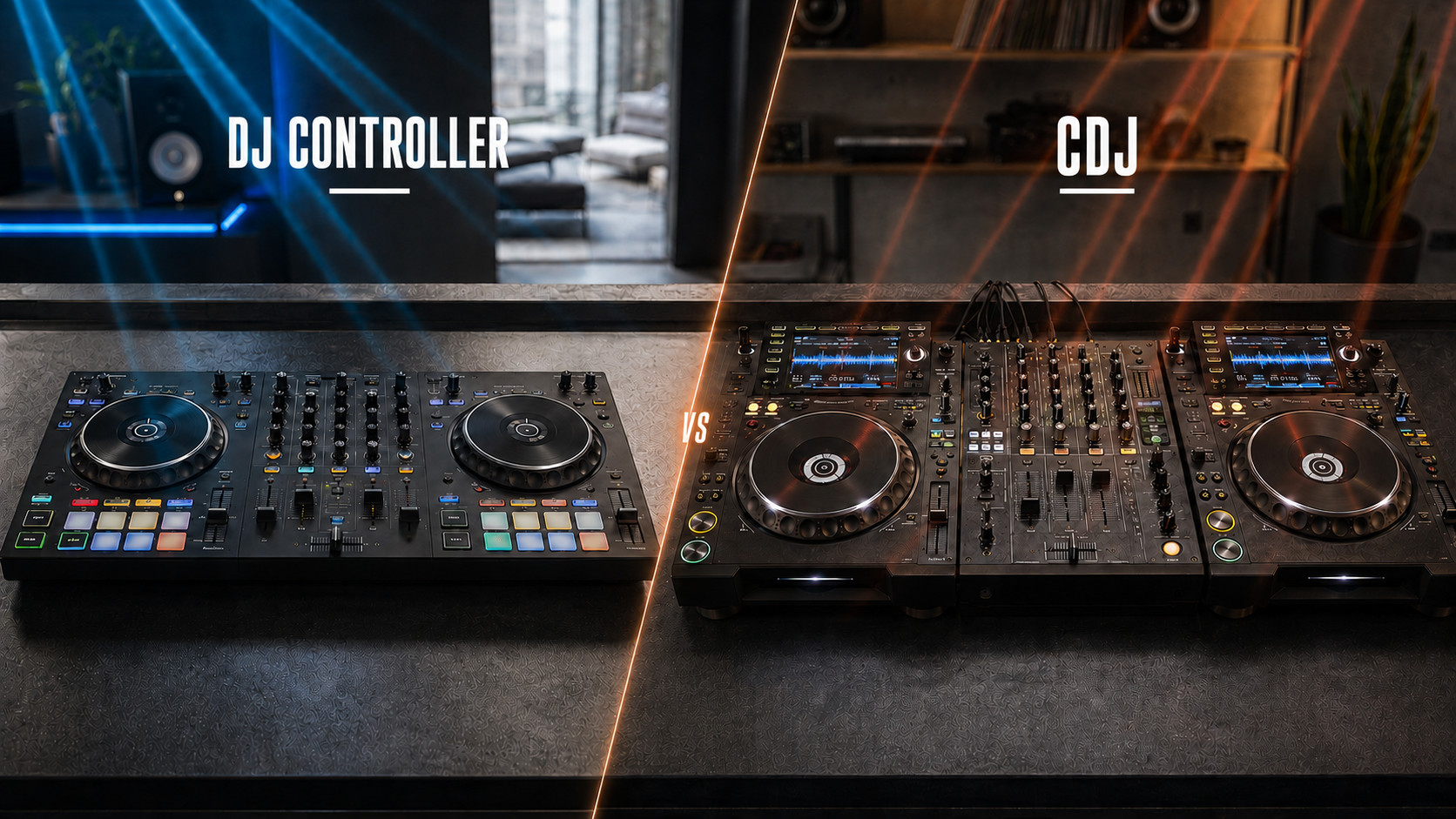
DJ Controller vs CDJ: Which Setup Is Right for You?
A DJ controller is usually the better choice for beginners, home DJs, and mobile performers who want an affordable, portable all-in-one setup. A CDJ system is better suited to club DJs, professional venues, and performers who want a modular workflow with less reliance on a laptop during a set.
However, the right answer in the DJ controller vs CDJ debate depends on your budget, performance environment, and future plans. This guide will help you decide which setup offers the most practical value for your situation.
First, Understand What You Are Buying
Although controllers and CDJs can perform many of the same mixing tasks, they are built around different workflows.
What Is a DJ Controller?
A DJ controller is a hardware device that controls DJ software running on a laptop or compatible mobile device. Most controllers combine two or more decks, a mixer section, jog wheels, performance pads, audio connections, and effects controls in one unit.
The controller usually does not hold the complete music library itself. Instead, it gives you physical control over tracks managed by the connected software.
What Is a CDJ?
A CDJ is an individual professional media player. A traditional club setup normally uses two or more CDJs connected to a separate DJ mixer. Music can be prepared in compatible software and played from USB storage, although current professional players may also support computers, cloud libraries, or streaming services.
Because each player and mixer is a separate component, CDJ setups are more modular and easier to expand. Their layouts are commonly associated with professional club and festival environments. Current systems continue to expand beyond traditional USB-only playback while maintaining this professional workflow. AlphaTheta’s professional-player information confirms the continued focus on club-style layouts and multiple media sources.
Price: Controllers Offer an Easier Entry Point
Price creates one of the clearest differences between these setups.
A controller combines decks and mixing controls in one device, making it possible to begin with fewer purchases. Some models also include access to compatible DJ software, although subscriptions or upgrades may still be required.
A complete CDJ setup requires at least two media players and a compatible mixer. You may also need cases, network connections, audio cables, and other professional accessories. This makes the total investment significantly higher than the cost of most beginner controllers.
Choose a controller when you want to learn without making a major initial investment. Consider CDJs when the professional workflow provides a genuine career or performance advantage.
Portability and Setup Time
Controllers are generally easier to transport. One controller, a laptop, headphones, and a few cables can fit into a relatively compact mobile system. This is useful for wedding DJs, private-event performers, and anyone who frequently changes venues.
A CDJ setup involves separate players, a mixer, multiple power connections, and additional cabling. Professional units can also be heavy and require protective cases.
For mobile work, a controller offers three practical advantages:
- Fewer individual components to transport
- Faster setup and breakdown
- Less space required on the DJ table
CDJs make more sense when equipment remains installed in a venue or when the event production team handles transportation and setup.
Laptop Dependence Is No Longer a Simple Divide
Most DJ controllers rely on a laptop or mobile device during performance. The screen provides library browsing, waveforms, track information, and software controls. This gives beginners a clear visual overview but creates dependence on the computer, operating system, software, and USB connection.
CDJs can typically play prepared music without keeping a laptop open during the performance. This reduces screen dependence and allows the DJ to focus on the hardware. Modern professional players may still connect to computers and online music sources, so “standalone” no longer means that they only accept USB drives.
A laptop-free workflow can reduce distractions, but it does not remove the need for preparation. Music should still be analyzed, organized, exported, and tested before a performance.
Which Setup Is Easier to Learn?
A controller usually provides the gentler learning curve. Beginners can see both decks on one software screen, use visual waveforms, and access performance features from a compact layout.
This makes it easier to understand:
- Track structure and phrasing
- Cue points and loops
- Tempo and beat alignment
- EQ adjustments and transitions
CDJs require greater familiarity with hardware navigation and separate players. DJs must become comfortable moving their attention between multiple screens, managing prepared media, and operating a standalone mixer.
However, the core skills remain transferable. Beatmatching, track selection, phrasing, gain control, and EQ technique matter on both systems. A DJ who learns these principles properly on a controller can transition to CDJs with focused practice.
Home Practice vs. Club Preparation
A controller is usually the most practical home setup. It requires less room, costs less, and can be stored more easily. It also allows new DJs to practise without investing in equipment designed for large professional venues.
CDJs become valuable when your goal is to perform in clubs that already use a similar system. Practising on a professional modular layout can improve confidence when moving between venues, especially when the performer must arrive with prepared media rather than a complete personal setup.
You do not necessarily need to own CDJs to prepare for club work. A sensible route is to learn on a controller, organise your library using compatible software, and occasionally practise on club-style equipment through a studio, rehearsal room, DJ school, or venue.
Mobile DJ Work: Controller Usually Wins
Mobile DJs often provide their own controller, laptop, speakers, microphone, and cables. Portability, quick setup, and access to a large music library are essential, making controllers highly suitable for weddings, parties, and corporate events.
Software-based systems also make it easier to search large libraries and respond to audience requests. A well-built professional controller can deliver reliable event performance without requiring separate CDJs.
A mobile DJ should prioritize:
- Reliable audio outputs and microphone control
- Durable construction and a protective case
- Backup music, cables, and power accessories
- Familiar software with an organized library
A CDJ setup can still be used for mobile events, but its additional cost, size, and setup time may provide little benefit unless the event specifically requires that format.
Professional Performance and Club Workflow
CDJs remain attractive for professional venues because their modular design supports standardized installation, individual component replacement, and familiar club-style operation. A visiting DJ can prepare music, connect compatible media, and perform without transporting a complete controller system.
Controllers can also be professional tools. The term “controller” does not automatically mean beginner equipment. Higher-level models may offer robust construction, multiple channels, professional outputs, standalone mixer capabilities, and extensive performance controls.
The important distinction is the environment:
- Choose a controller when you control and transport your complete setup.
- Choose CDJs when you regularly perform on installed club equipment.
- Consider an all-in-one standalone system when you want a middle ground between the two.
Expansion and Future Upgrades
A controller is a complete package, but upgrading one major feature may require replacing the entire unit. Expansion options vary by model, particularly for external players, turntables, microphones, and additional audio sources.
CDJ systems are modular. You can replace a mixer, add another player, connect turntables, or expand the setup without replacing every component. This flexibility benefits venues and established professionals, but it comes with a higher starting cost.
Explore controllers, media players, mixers, and related performance equipment through World of Entertainment before deciding which upgrade path fits your goals.
The Final Decision
Choose a DJ controller if you are a beginner, practise at home, perform mobile events, need portability, or want the strongest value from a limited budget.
Choose a CDJ setup if you regularly play in clubs, prefer hardware-focused performance, want a modular system, or need to become comfortable with professional venue workflows.
Your first setup does not have to be your final one. Learning on a controller and later moving to CDJs is a practical progression. If you need help checking compatibility between players, mixers, software, and accessories, contact us before purchasing.
Frequently Asked Questions
Is a CDJ better than a DJ controller?
Not automatically. CDJs suit professional modular and club workflows, while controllers offer better affordability, portability, and convenience.
Can you become a professional DJ using a controller?
Yes. Professional performance depends on skill, preparation, reliability, and using equipment suitable for the event.
Can controller skills transfer to CDJs?
Yes. Track selection, phrasing, beatmatching, cueing, gain control, and EQ techniques transfer between both systems.
Should a beginner buy CDJs?
Most beginners receive better value from a controller. CDJs become worthwhile when club preparation or professional venue work justifies the additional cost.