
DJ Equipment for Beginners: Complete Starter Guide
Jul 24th 2026
DJ Equipment for Beginners: Everything You Need to Start
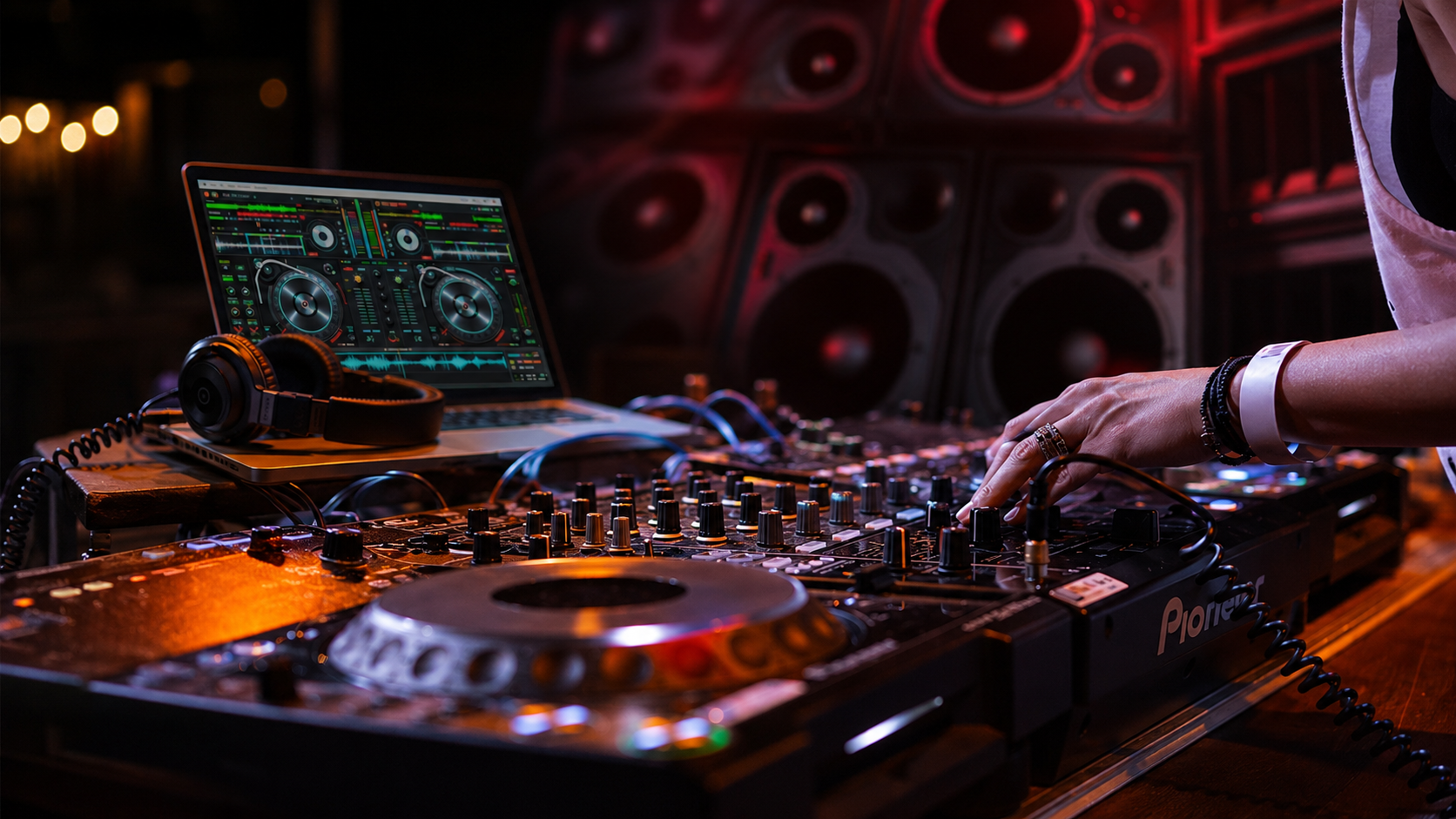
Starting as a DJ does not require a booth filled with expensive professional gear. To learn at home, you mainly need a DJ controller, compatible software, a laptop, and reliable headphones. Speakers, microphones, cases, and other accessories become important when you begin performing for an audience.
The right DJ equipment for beginners should be easy to operate, compatible as a complete system, and suitable for your goals. This guide explains what you need now, what you can add later, and how to avoid spending money on features you may not use.
Decide Where You Want to DJ
Your ideal equipment depends on how and where you plan to perform. A bedroom DJ has different requirements from someone preparing for weddings, parties, or mobile events.
Before purchasing anything, ask:
- Will you practise at home or perform at events?
- Do you already own a suitable laptop?
- Will the venue provide speakers?
- Do you need to make announcements?
- How often will you transport the equipment?
- How much space do you have?
Answering these questions will help you choose a setup that fits your actual needs.
DJ Controller: Your Main Control Center
A DJ controller provides the physical controls used to manage music through DJ software. Jog wheels, faders, knobs, buttons, and performance pads allow you to cue tracks, adjust volume, apply effects, and create transitions.
A beginner-friendly controller should provide:
- Two channels and responsive jog wheels
- Channel faders and a crossfader
- Gain, EQ, and filter controls
- Headphone and master outputs
- Cue, loop, and performance controls
- Compatibility with suitable DJ software
A two-channel controller is usually enough for learning the fundamentals. Four-channel models provide greater flexibility but can add unnecessary cost and complexity for a first-time DJ.
Check whether the controller includes software and confirm its available inputs and outputs before buying.
Laptop and DJ Software
Your laptop stores the music library and runs the software used to prepare and mix tracks. It should reliably display waveforms, analyze music, manage effects, and play audio without interruptions.
Check the software developer’s latest system requirements before selecting a computer. Consider memory, storage, processor capability, operating-system compatibility, and available ports.
DJ software allows you to:
- Organize music and playlists
- Set cue points
- Match track tempos
- Create loops
- Apply effects
- Record practice mixes
Keep your performance laptop organized. Close unnecessary programs, disable notifications, connect the charger, and prepare your playlists before beginning a set.
DJ Headphones
Headphones allow you to preview the next track without the audience hearing it. They are essential for cueing, beatmatching, and preparing smooth transitions.
Choose headphones with clear sound, effective isolation, comfortable padding, and a durable cable. Rotating earcups are useful because many DJs monitor with one ear while listening to the main speakers with the other.
Do not choose headphones only because they produce powerful bass. Clear rhythm and midrange detail are equally important when aligning tracks.
Speakers for Home and Events
You can learn through headphones without purchasing speakers immediately. However, speakers are necessary when playing for an audience unless the venue provides an appropriate sound system.
Compact studio monitors work well for home practice at moderate volume, but they are not substitutes for event speakers. Parties and live performances generally require PA speakers designed to cover larger areas.
Powered speakers contain built-in amplification and are convenient for many beginners. Passive speakers require a compatible external amplifier.
When choosing speakers, consider:
- Room and audience size
- Required sound coverage
- Available input connections
- Portability and weight
- Speaker-stand compatibility
- Whether a subwoofer is needed
Mobile DJs often begin with two suitable powered speakers. A subwoofer can be added later when events require stronger low-frequency output.
Do Beginner DJs Need a Mixer?
Most DJ controllers already include a mixing section. Therefore, beginners generally do not need a separate mixer for a standard controller-and-laptop setup.
A standalone mixer becomes useful when connecting multiple media players, turntables, microphones, instruments, or backup audio sources. It may also be necessary when building a modular or club-style system.
Before buying a mixer, confirm whether your controller already performs the same functions. Purchasing overlapping equipment wastes money and takes up valuable space.
Microphone for Events
A microphone is optional for home practice but valuable for weddings, parties, school functions, and corporate events. DJs may need it to introduce speakers, announce activities, or communicate with guests.
A wired dynamic microphone is a simple and dependable starting choice. Wireless microphones offer greater movement but require batteries, compatible frequencies, and additional setup.
Confirm that your controller or mixer provides a suitable microphone input and independent level control. Keep the microphone away from the front of speakers to reduce feedback.
Cables and Power Accessories
Cables are easy to overlook, but one missing connection can prevent an entire system from working. The cables you require depend on the controller or mixer outputs and the inputs available on your speakers.
A beginner may need:
- Controller USB cable
- Appropriate audio cables
- XLR or TRS cables for compatible equipment
- Microphone cable
- Laptop and equipment power cables
- Headphone adapter
- Safe extension lead or power strip
- Essential spare cables
Check both ends of each connection before ordering. Label cables and secure them properly to reduce trip hazards and accidental disconnections.
DJ Stand, Cases, and Accessories
A stable DJ table or stand keeps your controller at a comfortable operating height. A laptop stand improves screen visibility and creates more working space.
Protective bags or hard cases become essential when transporting equipment. Choose cases that match the size and weight of each device rather than forcing several products into an unsuitable bag.
Useful accessories include cable ties, removable tape, cleaning cloths, spare adapters, a flashlight, backup music storage, and equipment labels.
You can explore professional audio and entertainment equipment through World of Entertainment as your setup develops.
DJ Equipment Setup Comparison
|
Equipment |
Minimum Setup |
Beginner Setup |
Professional Setup |
|
Best for |
Home learning |
Practice and small gatherings |
Paid events and mobile DJ work |
|
Laptop and software |
Required |
Required |
Performance laptop with backup music |
|
DJ controller |
Basic two-channel |
Feature-rich two-channel |
Professional two- or four-channel |
|
Headphones |
Basic DJ headphones |
Comfortable, durable model |
Professional monitoring headphones |
|
Speakers |
Not required |
Monitors or powered speakers |
PA speakers with stands |
|
Microphone |
Not required |
Optional |
Recommended |
|
Subwoofer |
Not required |
Optional |
Based on venue size |
|
Stand and cases |
Optional |
Basic stand and case |
Heavy-duty stands and protective cases |
|
Backups |
Not essential |
Spare cables |
Cables, music, adapters, and power backups |
Start with the minimum setup if you are learning at home. Choose the beginner setup for small gatherings, and invest in a professional system when you begin handling regular paid events.
Final Buying Advice
Build your DJ setup gradually. Begin with a controller, laptop, software, and headphones. Add speakers, a microphone, stands, and protective cases when your practice or performance needs justify them.
Prioritize compatibility, reliability, and ease of use over impressive specifications. If you are unsure whether different components will work together, contact us before purchasing.
Frequently Asked Questions
Can a beginner DJ start without speakers?
Yes. A beginner can learn and practise through headphones before investing in speakers.
Is a mixer necessary for a beginner DJ?
Usually not. Most DJ controllers already contain the mixing controls required for a basic setup.
What DJ equipment should I buy first?
Start with a laptop, compatible software, a two-channel controller, DJ headphones, and the necessary cables.
Can home speakers be used for DJ events?
Home speakers may work for practice but are generally not designed for the volume and coverage required at events.