What Is DMX Lighting and How Does It Work?
Jul 19th 2026
What Is DMX Lighting and How Does It Work?
Modern stage lighting can change color, brightness, direction, patterns, and effects within seconds. Behind many of these synchronized lighting displays is a control system called DMX. It allows a lighting operator to manage multiple fixtures from one controller instead of adjusting every light manually.
But what is DMX lighting, and how does it actually work? In simple terms, DMX is a communication method that sends digital instructions from a controller to compatible lighting equipment. It is commonly used in theaters, concerts, clubs, churches, weddings, corporate events, and DJ setups.
Understanding DMX may initially seem complicated, but the basic concept is straightforward. Once you learn about controllers, channels, addresses, universes, and cables, you can build and operate a reliable lighting system with much greater control.
What Does DMX Mean in Lighting?
DMX stands for Digital Multiplex. The term generally refers to DMX512, a standardized digital communication protocol used to control stage lighting and related entertainment equipment.
DMX does not provide electrical power to a fixture. Instead, it carries control data telling the fixture what to do. Power and DMX data therefore travel through separate cables in a typical system.
The current DMX512-A standard is formally covered by ANSI E1.11. It was developed to help controllers and lighting products from different manufacturers communicate through a common system.
DMX can control equipment such as:
- LED PAR lights
- Moving-head fixtures
- Dimmers
- Fog and haze machines
- Strobe lights
- Color-changing fixtures
- Gobo projectors
- Effects and production equipment
Without DMX, each fixture would need to run in an automatic mode, react to sound, or be adjusted individually. DMX brings those fixtures together into one coordinated lighting system.
How Does DMX Lighting Work?
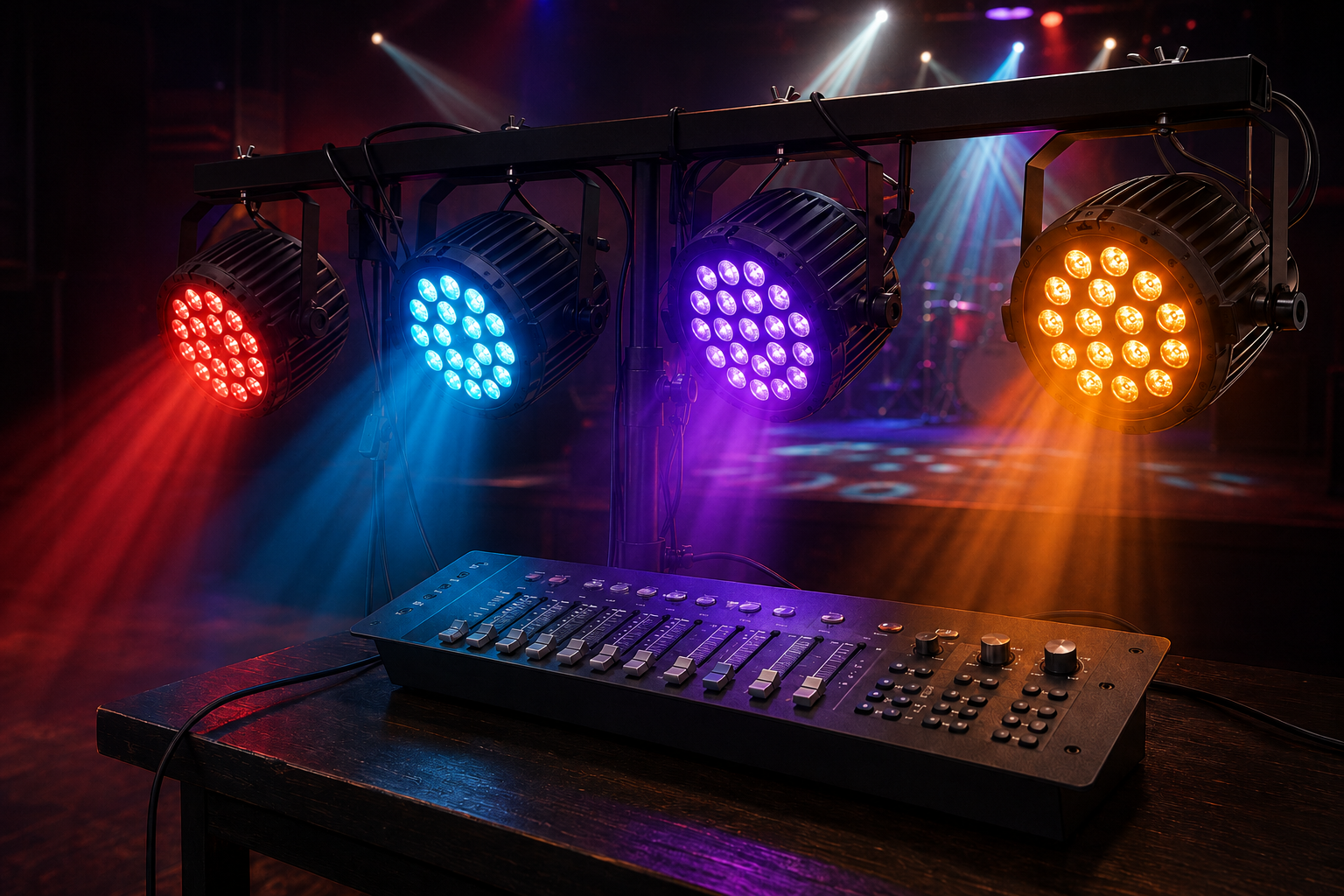
A DMX system begins with a controller. This may be a physical lighting console, a compact hardware controller, or computer software connected through a DMX interface. The controller sends a continuous stream of digital instructions to the connected fixtures.
Each instruction contains a numerical value between 0 and 255. A fixture interprets that value according to the function assigned to a particular channel. For a dimmer channel, 0 usually means the light is off, while 255 represents full output. Values between them create different brightness levels.
For a color channel, the same range might control the intensity of red, green, or blue. On a moving-head light, separate channels may control pan, tilt, color, dimming, and other effects.
A basic signal path looks like this:
DMX controller → first fixture → second fixture → third fixture → terminator
The controller repeatedly transmits updated values, allowing fixtures to respond almost immediately whenever the operator moves a fader, activates a scene, or starts a programmed sequence.
DMX Channels, Addresses, and Universes Explained
Channels, addresses, and universes are the three most important concepts to understand when building a DMX lighting setup.
| DMX Term | What It Means | Simple Example |
|---|---|---|
| Channel | One controllable fixture function | Brightness, red, pan, or strobe |
| Address | The fixture’s starting channel number | A fixture begins at channel 17 |
| Universe | A group containing up to 512 control slots | Universe 1 uses channels 1–512 |
| Fixture Mode | Number and arrangement of channels used | 3-channel or 12-channel mode |
| Scene | A saved combination of channel values | Blue lights at 60% brightness |
| Chase | A timed sequence of scenes | Lights changing in a repeating pattern |
A simple RGB fixture may use three channels: one each for red, green, and blue. If its starting address is 1, it may occupy channels 1, 2, and 3. The next three-channel fixture could begin at address 4.
A more advanced moving-head fixture might use 16 or more channels. If it begins at address 4, the next fixture must normally start after all the channels it occupies. Overlapping addresses can make fixtures respond unexpectedly unless the overlap is intentional.
One DMX universe contains up to 512 control slots. Larger productions may use multiple universes to operate more fixtures or accommodate equipment with large channel requirements.
What Equipment Is Needed for DMX Lighting?
A basic DMX system does not require an enormous amount of equipment. You generally need:
- A DMX controller or software interface
- DMX-compatible lighting fixtures
- Proper DMX data cables
- Power cables for every fixture
- A DMX terminator for the end of the line
- The fixture manuals and channel charts
The controller is the system’s command center. Fixtures receive its instructions, while DMX cables carry the data between devices. A terminator is installed in the final fixture’s DMX output to reduce signal reflections that can cause flickering, delayed responses, or unpredictable behavior.
You can explore professional lighting, controllers, cables, and event equipment at World of Entertainment when planning a new system or expanding an existing setup.
How to Connect a Basic DMX System
First, position and power the fixtures according to the manufacturers’ instructions. Connect the controller’s DMX output to the DMX input of the first fixture. Run another DMX cable from that fixture’s output to the input of the next one. Continue this daisy chain until every fixture is connected.
Place a DMX terminator in the output of the last fixture, particularly when using longer cable runs or several fixtures. Avoid splitting the DMX line with ordinary adapters. If the signal must travel in multiple directions, use a purpose-built DMX splitter.
Next, select the operating mode for each fixture and assign its starting address. The selected mode determines how many channels it uses and what each channel controls. Consult the product manual rather than assuming that similar fixtures share the same channel order.
Finally, patch or configure the fixtures on the controller. Test dimming, colors, movement, and effects one at a time before programming complete scenes.
DMX Cables vs. Microphone Cables
Three-pin DMX connectors can look similar to XLR microphone connectors, which leads some beginners to treat the cables as interchangeable. However, proper DMX cables are manufactured for digital data transmission and have different electrical characteristics from standard audio cables.
A microphone cable may appear to work in a very small setup, but it can produce unreliable results as the system grows or the cable run becomes longer. Flickering, random movement, incorrect colors, and delayed responses are common signs of a signal problem.
For dependable operation, use cables specifically rated for DMX. Also inspect connectors before every event and keep data cables away from unnecessary stress, sharp bends, and damaged power connections.
What Can You Control With DMX?
The available controls depend on the fixture and its selected channel mode. Common functions include:
- Light intensity and blackout
- RGB, RGBW, or full-color mixing
- Pan and tilt movement
- Beam width or zoom
- Gobo selection and rotation
- Strobe rate
- Focus and prism effects
- Fog or haze output
Fixtures with multiple operating modes offer a choice between simplicity and detailed control. A basic mode uses fewer channels and is easier for beginners. An extended mode uses more channels but provides access to advanced functions.
When starting out, select the simplest mode that still gives you the controls required for the event. More channels do not automatically produce a better show.
Common DMX Lighting Problems
If fixtures are not responding correctly, check the system methodically. Most problems come from incorrect addresses, unsuitable cables, loose connections, mismatched fixture modes, or programming errors.
Confirm that every fixture is receiving power and set to DMX mode. Then verify its starting address and channel mode against the controller patch. Test the first fixture alone before reconnecting the rest of the chain.
If lights flicker or behave randomly, replace questionable cables and add a terminator. For complex systems, an optically isolated DMX splitter can improve signal distribution and help separate different branches.
Is DMX Lighting Difficult to Learn?
DMX is not difficult once its structure becomes familiar. Start with one controller and two or three simple LED fixtures. Practice assigning addresses, adjusting individual channels, saving scenes, and creating a basic chase.
Focus on reliable control before adding complicated movement or effects. A few well-designed lighting scenes will usually look more professional than constant color changes and flashing.
If you are unsure which controller, fixture, or cables will work together, contact us for help selecting a compatible setup.
Final Thoughts
DMX lighting provides a practical way to operate multiple fixtures as one coordinated system. The controller sends data, channels control individual functions, addresses identify where each fixture begins, and universes provide room for larger setups.
Once you understand these fundamentals, DMX becomes a powerful creative tool rather than a confusing technical system. Begin with a small setup, follow the channel charts, use proper cables, and test everything before the event. With practice, you will be able to create smooth, consistent, and engaging lighting for almost any stage or production.
Frequently Asked Questions
What does DMX stand for?
DMX stands for Digital Multiplex, a protocol used to control stage lighting and effects.
How many channels are in one DMX universe?
One DMX universe contains up to 512 control channels.
Can microphone cables be used for DMX?
They may work temporarily, but proper DMX cables provide more reliable performance.
Is a DMX terminator necessary?
It is recommended because it helps prevent flickering and signal problems.